Identify My WiBiBox
Not sure which Wifibri device you have?
Below you can find the most common WiBiBox models currently in use.
WiBiBox AX S
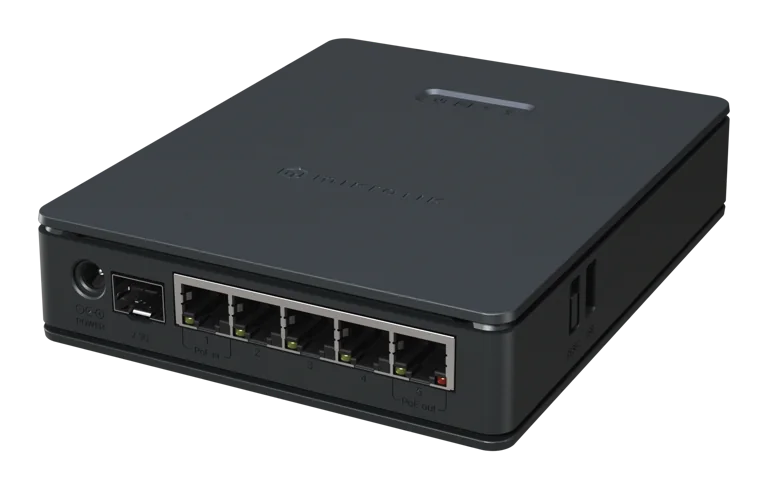
A recent WiBiBox model commonly used in newer installations.
You can recognise this device by:
- the black upright enclosure
- wall mounting
- the Wifibri sticker containing Wi-Fi details
- the QR code on the device
- 5 network ports
Compatible with
- ✅ GEN 5
- ❌ GEN 4
Technical model: MikroTik hAP ax S
WiBiBox AX²
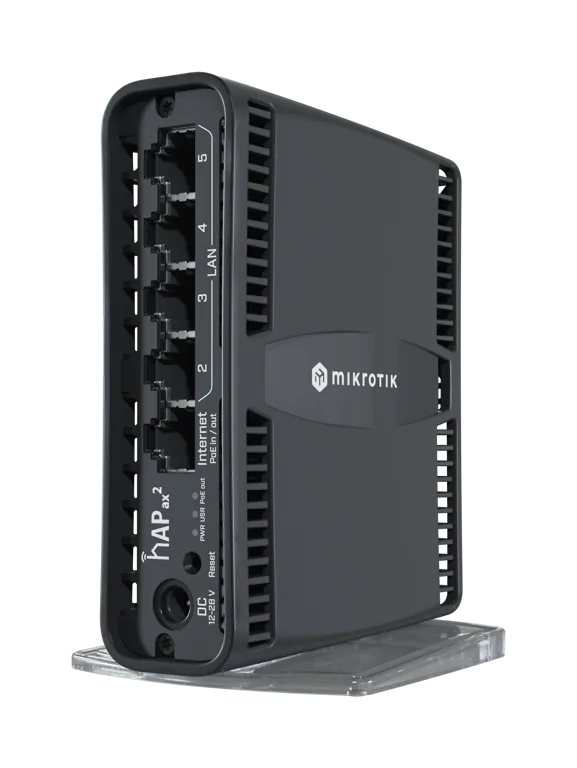
An upright WiBiBox model used in homes and apartments.
You can recognise this device by:
- the black enclosure
- the vertical design
- wall mounting
- the Wifibri sticker containing Wi-Fi details
- 5 network ports
Compatible with
- ✅ GEN 5
- ❌ GEN 4
Technical model: MikroTik hAP ax²
WiBiBox AC²
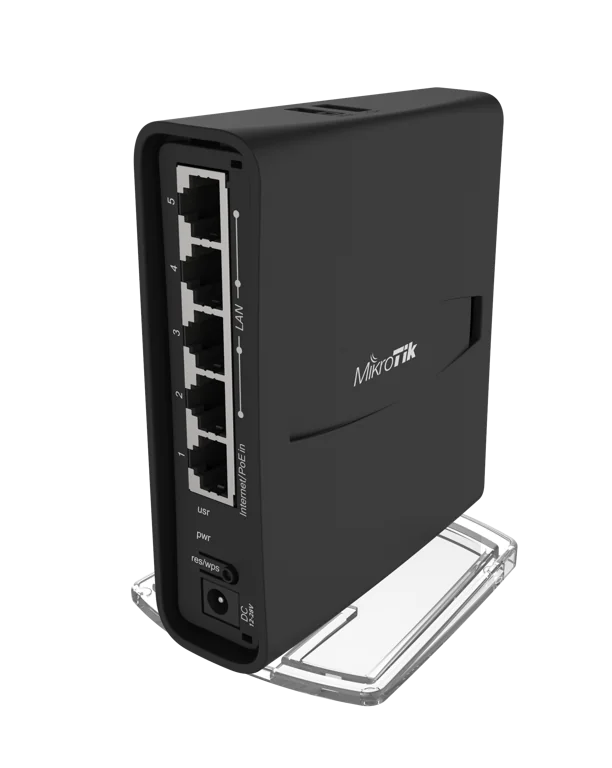
A horizontal WiBiBox model used in homes and apartments.
You can recognise this device by:
- the flat black enclosure
- the horizontal design
- wall mounting
- 5 network ports
Compatible with
- ✅ GEN 5
- ✅ GEN 4
Technical model: MikroTik hAP ac²
WiBiBox AC
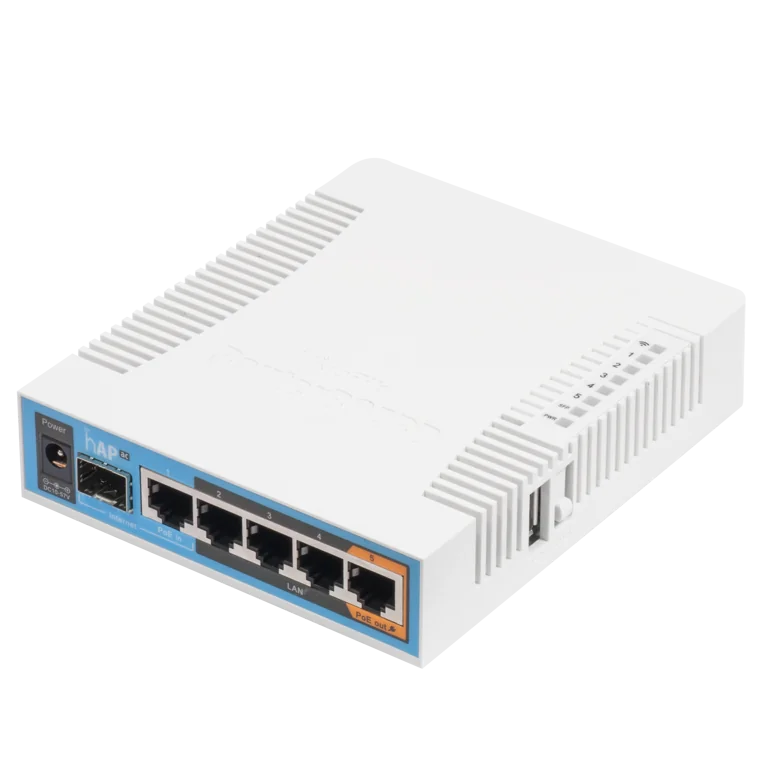
A WiBiBox model used in various Wifibri installations.
You can recognise this device by:
- the black enclosure
- wall mounting
- multiple network ports
- its compact horizontal design
Compatible with
- ✅ GEN 5
- ✅ GEN 4
Technical model: MikroTik hAP ac
WiBiBox ACL Desktop
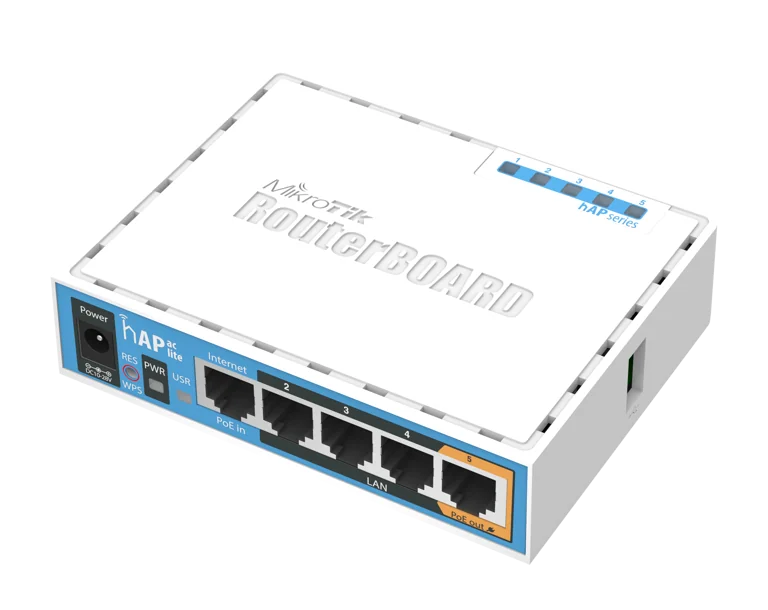
A compact WiBiBox model designed for smaller installations.
You can recognise this device by:
- its compact white enclosure
- the blue front panel
- wall mounting
- 5 network ports
Compatible with
- ✅ GEN 5
- ✅ GEN 4
Technical model: MikroTik hAP ac lite
WiBiBox ACL Tower
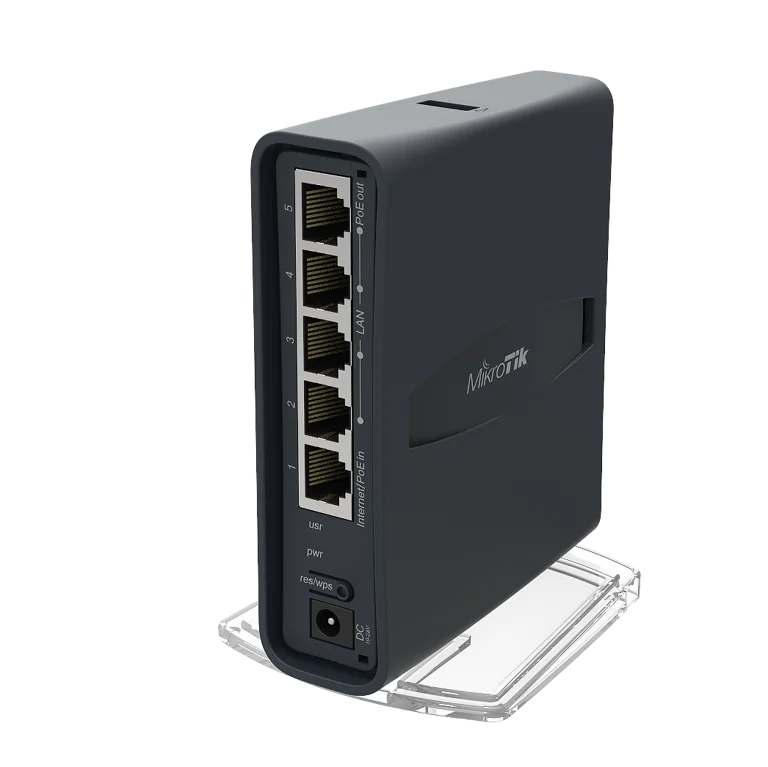
A compact upright WiBiBox model.
You can recognise this device by:
- its vertical design
- the compact black enclosure
- wall mounting
- 5 network ports
Compatible with
- ✅ GEN 5
- ✅ GEN 4
Technical model: MikroTik hAP ac lite tower
Which Generation Does My Installation Use?
GEN 5
Newer installations use the Wifibri GEN 5 platform.
These can usually be identified by:
- a Wifibri sticker containing Wi-Fi details
- a QR code
- a private Wi-Fi network for each home or apartment
GEN 4
Older installations may still use the Wifibri GEN 4 platform.
With GEN 4:
- there is usually no Wi-Fi information sticker
- shared wireless networks are commonly used
- you will often see network names such as:
- Wifibri
- Wifibri Public
Is Your Device Not Listed Here?
Don’t worry.
Wifibri also uses other device models and customised installations at certain locations.
Not sure which device you have?
Feel free to send us a photo of the device or the sticker and we’ll be happy to help identify it.
Important
Do not reset the WiBiBox or disconnect it unnecessarily.
Resetting the device may remove the Wifibri configuration.
Experiencing connection issues?
First check:
- That the device has power
- That the status LEDs are illuminated
- That the network cable is properly connected
- That you are connected to the correct Wi-Fi network