Tools
Through the Tools menu, you can perform a number of simple network diagnostics directly from the WiBiBox.
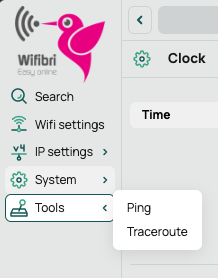
The screenshots shown may differ in appearance or colours from the actual interface, but their functionality and location within the web interface remain the same.
Ping
A Ping allows you to verify whether a device, server, or website is reachable from the WiBiBox.
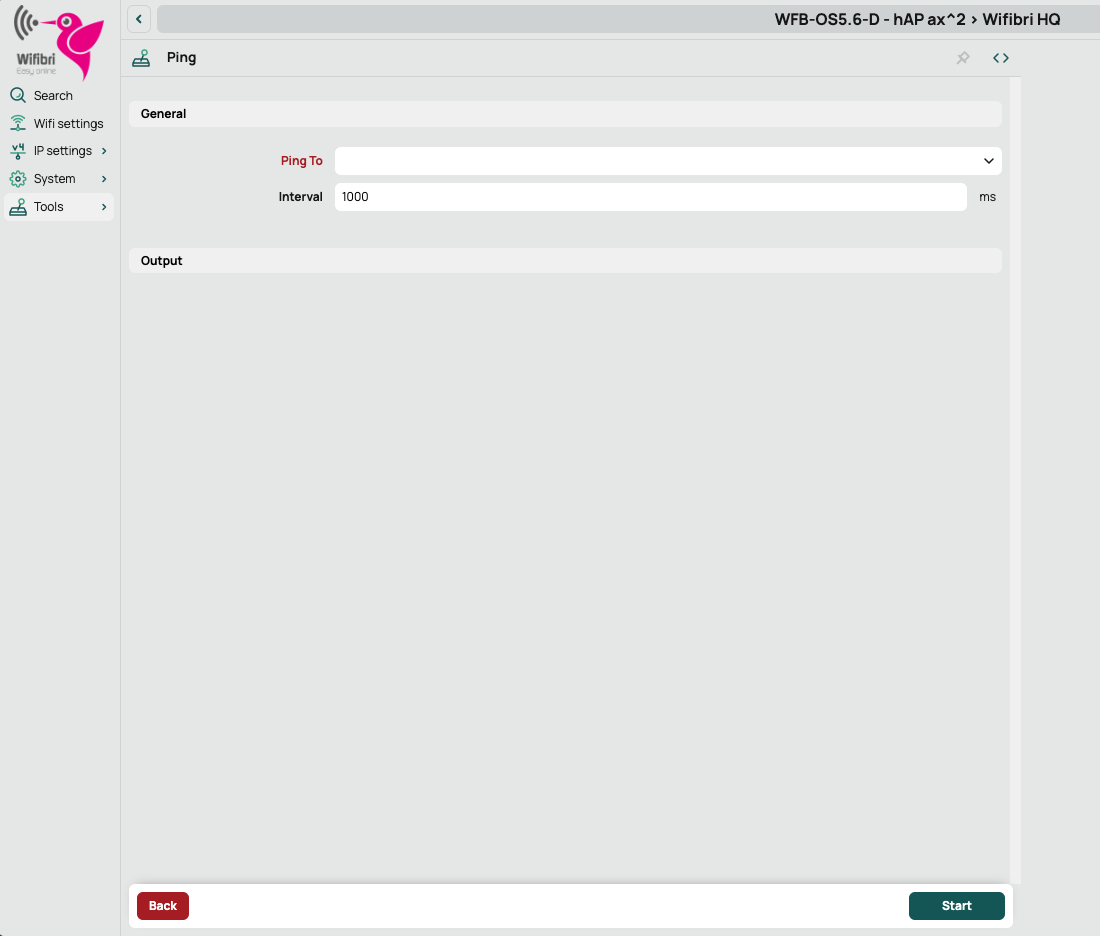
Enter a hostname or IP address in Ping To and click Start.
Successful ping
If the destination is reachable, the results will be displayed in the overview.
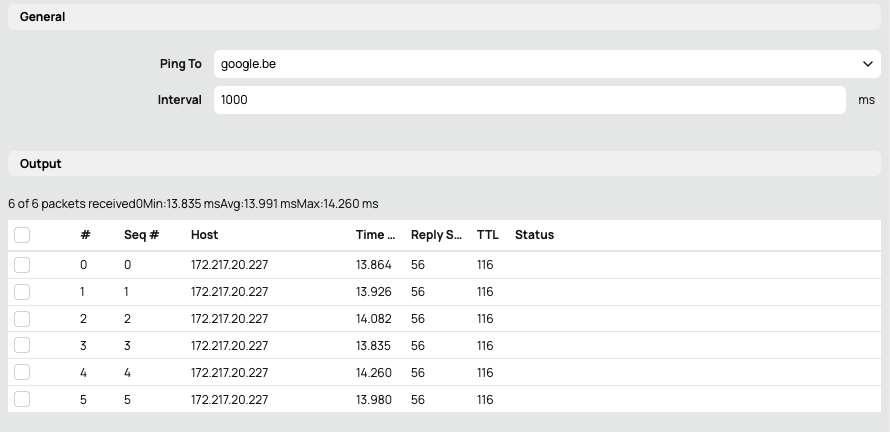
The results include information such as:
- The destination IP address
- The response time
- The number of replies received
Failed ping
If the destination is unreachable or does not exist, no successful replies will be received.
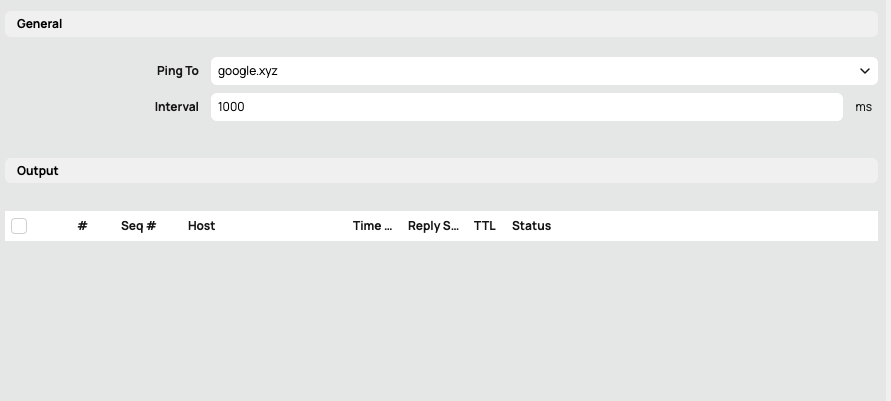
This may happen, for example, when:
- The address was entered incorrectly
- The website does not exist
- There is a network connectivity issue
Traceroute
Traceroute allows you to see which network devices a connection passes through before reaching its final destination.
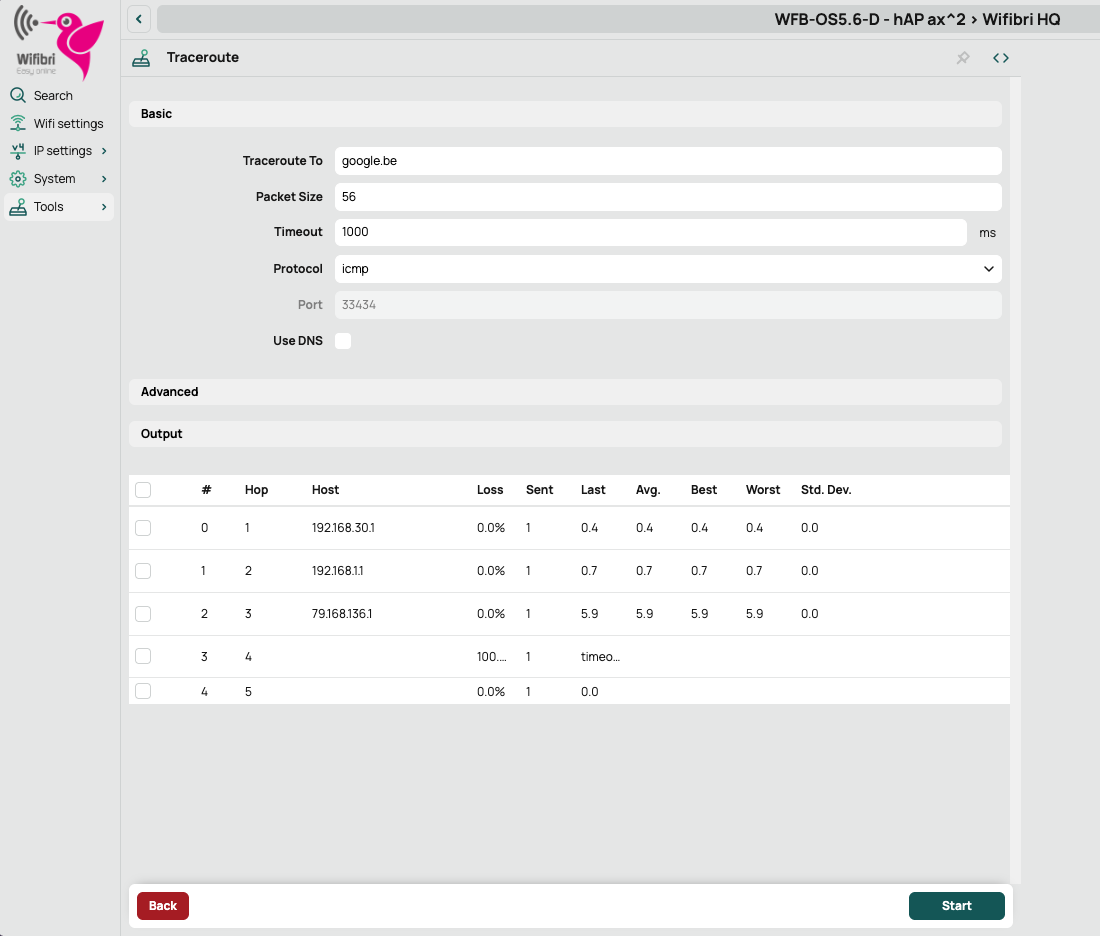
Enter a hostname or IP address and click Start.
The results will then display the various intermediate steps (hops) between the WiBiBox and the specified destination.
Traceroute is mainly used for network diagnostics and troubleshooting when a connection is experiencing problems.