What Does a Typical Installation Look Like?
A typical Wifibri installation usually consists of:
- a WiBiBox
- a network connection
- a Wifibri sticker containing the Wi-Fi details
- a QR code for quick and easy connection
Most WiBiBox devices receive power through the network cable (PoE) on port 1, eliminating the need for a separate power adapter.
In some specific installations, or when a fibre-optic connection is used, a dedicated power adapter may be required.
Example of a GEN 5 Installation
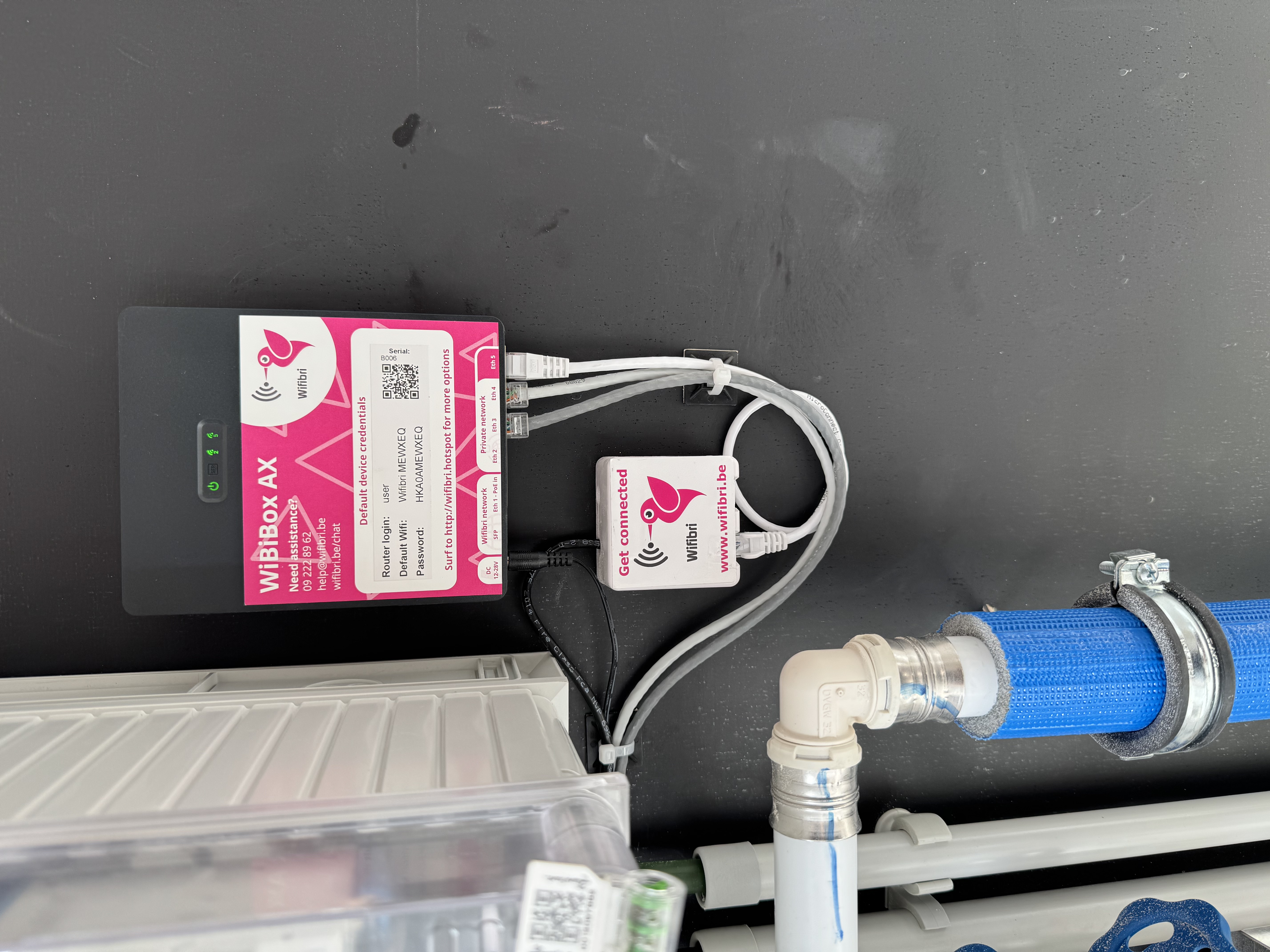
This photo shows a typical GEN 5 installation:
- a WiBiBox AX
- the network cables
- the Wifibri sticker with QR code
- the connection to the Wifibri network
With GEN 5 installations, each home or apartment receives its own private Wi-Fi network.
Where Is the WiBiBox Usually Installed?
The WiBiBox is typically:
- mounted on a wall
- installed inside a technical cabinet or utility room
- located close to the (Wifibri) network connection
Depending on the building and the hardware used, the installation may look slightly different.
What Should I Not Disconnect?
Do not unplug cables unless necessary.
Always leave the following connected:
- the network cable(s)
- any fibre-optic connections
Disconnecting cables may interrupt your internet connection.
If you experience any issues, please contact the Wifibri helpdesk.
I Don’t See a Sticker or QR Code
Some older installations still use the Wifibri GEN 4 platform.
With these installations:
- there is usually no sticker present
- shared Wi-Fi networks are commonly used
- you will typically see network names such as:
- Wifibri
- Wifibri Public
My Installation Looks Different
No problem.
Wifibri uses different hardware models and customised installations at certain locations.
Not sure if everything is connected correctly?
Feel free to send us a photo and we’ll be happy to help.