What Do the LEDs Mean?
Don’t know which model you have?
See first: Identify My WiBiBox
WiBiBox AX S
Front
| LED | Colour | Behaviour | Meaning |
|---|---|---|---|
| ⚡ Power | Green | Solid | The WiBiBox is receiving power |
| 🔗 SFP | Green | Knipperend | Active SFP connection |
| 📶 WiFi 2G | Green | Solid | 2.4 GHz Wi-Fi actief |
| 📶 WiFi 5G | Green | Solid | 5 GHz Wi-Fi actief |
Bottom
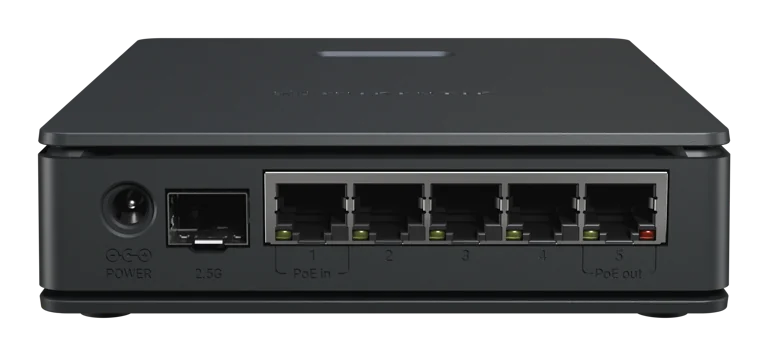
| LED | Colour | Behaviour | Meaning |
|---|---|---|---|
| 🌐 ether1 | Green | Fast/random blinking | Normal network activity |
| Green | Slow regular blinking | Possible cable or connection issue | |
| 🌐 ether2 | Green | Fast/random blinking | Normal network activity |
| Green | Slow regular blinking | Possible cable or connection issue | |
| 🌐 ether3 | Green | Fast/random blinking | Normal network activity |
| Green | Slow regular blinking | Possible cable or connection issue | |
| 🌐 ether4 | Green | Fast/random blinking | Normal network activity |
| Green | Slow regular blinking | Possible cable or connection issue | |
| 🌐 ether5 | Green | Fast/random blinking | Normal network activity |
| Green | Slow regular blinking | Possible cable or connection issue | |
| ⚡ ether5 PoE LED | Red | Solid | PoE output active |
WiBiBox AX2
Top
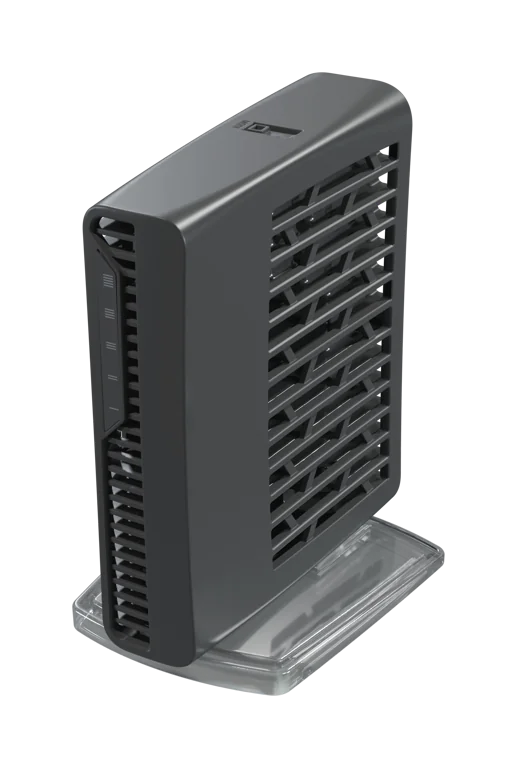
| LED | Colour | Behaviour | Meaning |
|---|---|---|---|
| 🌐 ether1 | Green | Fast/random blinking | Normal network activity |
| Green | Slow regular blinking | Possible cable or connection issue | |
| 🌐 ether2 | Green | Fast/random blinking | Normal network activity |
| Green | Slow regular blinking | Possible cable or connection issue | |
| 🌐 ether3 | Green | Fast/random blinking | Normal network activity |
| Green | Slow regular blinking | Possible cable or connection issue | |
| 🌐 ether4 | Green | Fast/random blinking | Normal network activity |
| Green | Slow regular blinking | Possible cable or connection issue | |
| 🌐 ether5 | Green | Fast/random blinking | Normal network activity |
| Green | Slow regular blinking | Possible cable or connection issue |
Bottom
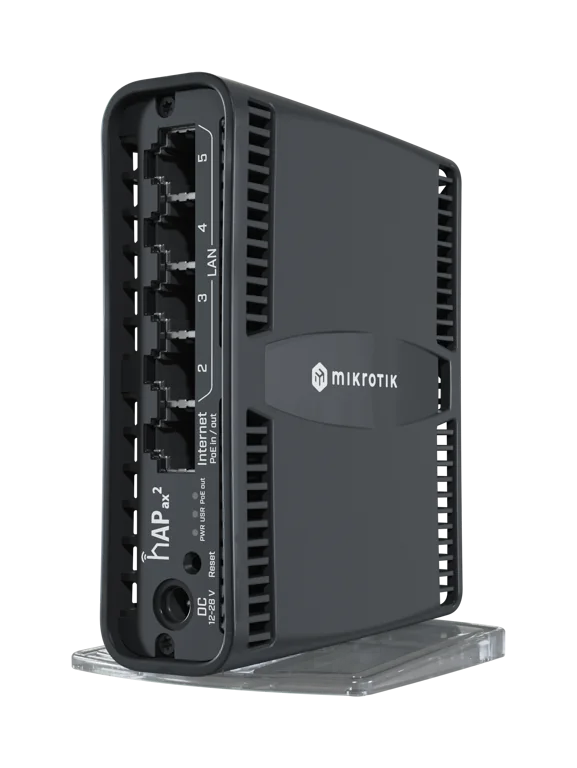
| LED | Colour | Behaviour | Meaning |
|---|---|---|---|
| ⚡ PWR | Blue | Solid | The WiBiBox is receiving power |
| ⚙️ USR | Green | Solid | Normally off, only active during startup or special configurations |
| ⚡ PoE-out | Red | Solid | PoE output on ether1 active |
WiBiBox AC
Front
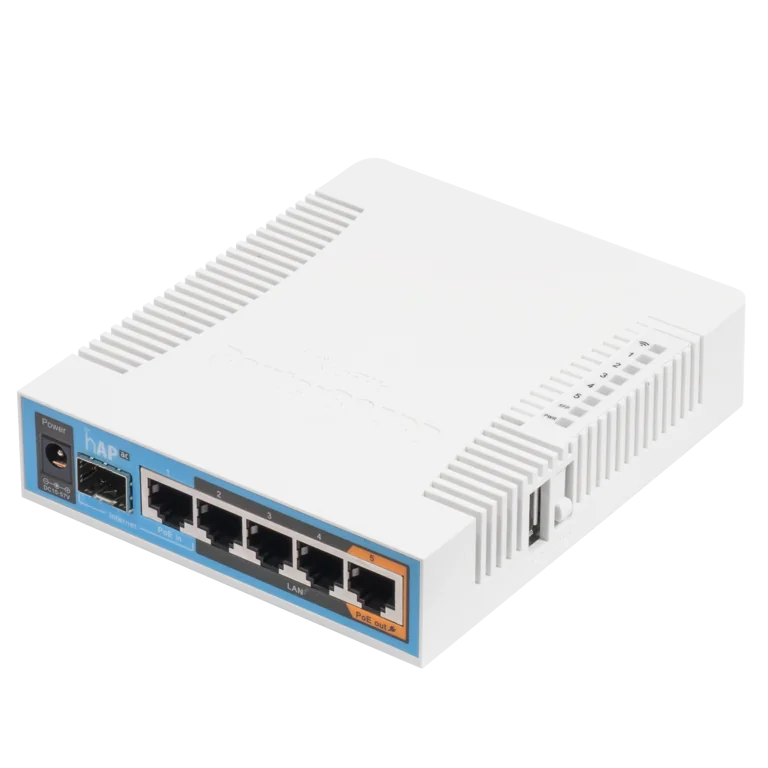
| LED | Colour | Behaviour | Meaning |
|---|---|---|---|
| 📶 WiFi | Green | Solid | Wi‑Fi active (normal mode) |
| Red/Green | Solid | Wi‑Fi active (Wifibri mode) | |
| 🌐 ether1 | Green | Fast/random blinking | Normal network activity |
| Green | Slow regular blinking | Possible cable or connection issue | |
| 🌐 ether2 | Green | Fast/random blinking | Normal network activity |
| Green | Slow regular blinking | Possible cable or connection issue | |
| 🌐 ether3 | Green | Fast/random blinking | Normal network activity |
| Green | Slow regular blinking | Possible cable or connection issue | |
| 🌐 ether4 | Green | Fast/random blinking | Normal network activity |
| Green | Slow regular blinking | Possible cable or connection issue | |
| 🌐 ether5 | Green | Fast/random blinking | Normal network activity |
| Green | Slow regular blinking | Possible cable or connection issue | |
| Red | Solid | PoE output active (groen kan door rood knipperen bij netwerkactiviteit) | |
| 🔗 SFP | Green | Fast/random blinking | Normal network activity |
| Green | Solid | Possible downlink issue | |
| ⚡ PWR | Blue | Solid | The WiBiBox is receiving power |
WiBiBox AC2
Top
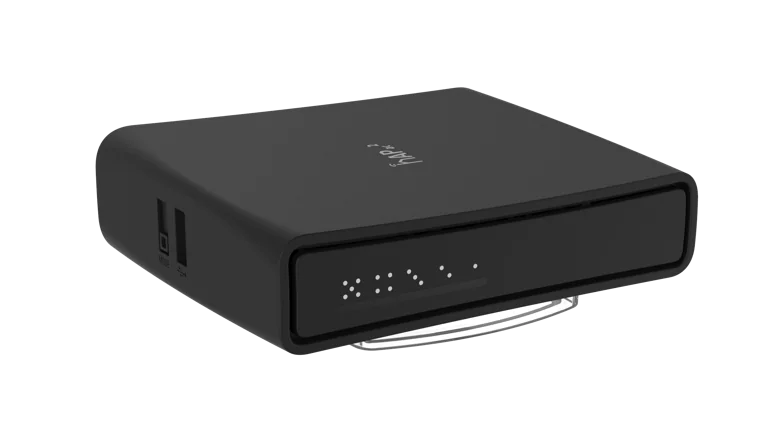
| LED | Colour | Behaviour | Meaning |
|---|---|---|---|
| 🌐 ether1 | Green | Fast/random blinking | Normal network activity |
| Green | Slow regular blinking | Possible cable or connection issue | |
| 🌐 ether2 | Green | Fast/random blinking | Normal network activity |
| Green | Slow regular blinking | Possible cable or connection issue | |
| 🌐 ether3 | Green | Fast/random blinking | Normal network activity |
| Green | Slow regular blinking | Possible cable or connection issue | |
| 🌐 ether4 | Green | Fast/random blinking | Normal network activity |
| Green | Slow regular blinking | Possible cable or connection issue | |
| 🌐 ether5 | Green | Fast/random blinking | Normal network activity |
| Green | Slow regular blinking | Possible cable or connection issue |
Bottom
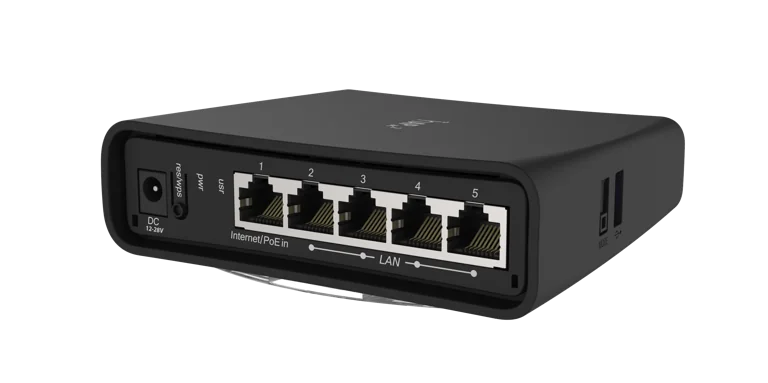
| LED | Colour | Behaviour | Meaning |
|---|---|---|---|
| ⚙️ USR | Green | Solid | Normally off, only active during startup or special configurations |
| ⚡ PWR | Green | Solid | The WiBiBox is receiving power |
WiBiBox ACL Tower
Top
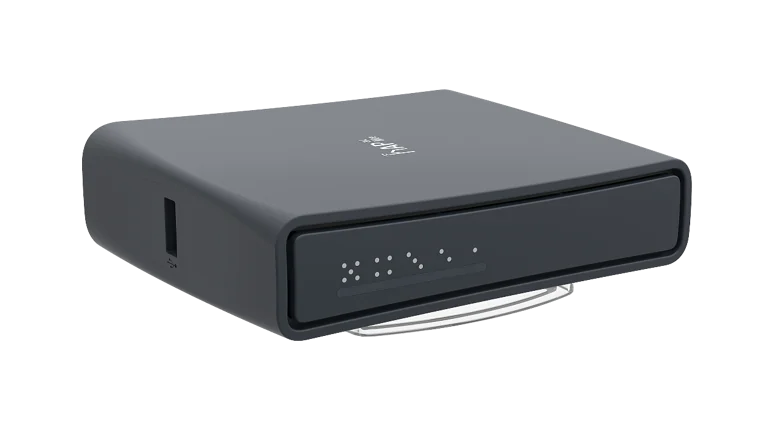
| LED | Colour | Behaviour | Meaning |
|---|---|---|---|
| 🌐 ether1 | Green | Fast/random blinking | Normal network activity |
| Green | Slow regular blinking | Possible cable or connection issue | |
| 🌐 ether2 | Green | Fast/random blinking | Normal network activity |
| Green | Slow regular blinking | Possible cable or connection issue | |
| 🌐 ether3 | Green | Fast/random blinking | Normal network activity |
| Green | Slow regular blinking | Possible cable or connection issue | |
| 🌐 ether4 | Green | Fast/random blinking | Normal network activity |
| Green | Slow regular blinking | Possible cable or connection issue | |
| 🌐 ether5 | Green | Fast/random blinking | Normal network activity |
| Green | Slow regular blinking | Possible cable or connection issue | |
| Red | Solid | PoE output active (groen kan door rood knipperen bij netwerkactiviteit) |
Bottom
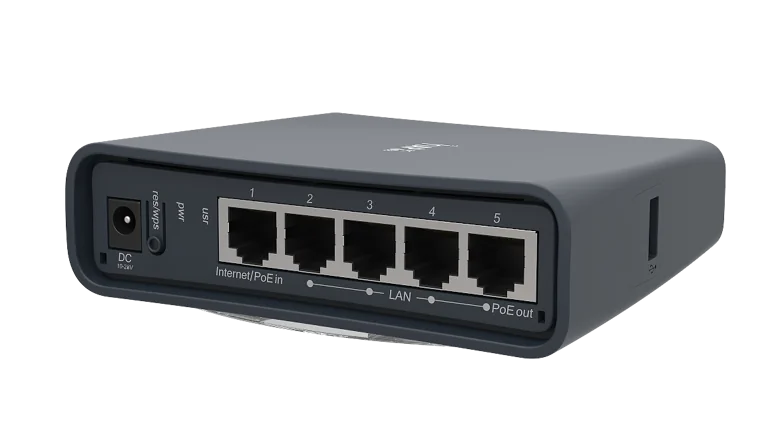
| LED | Colour | Behaviour | Meaning |
|---|---|---|---|
| ⚙️ USR | Green | Solid | Normally off, only active during startup or special configurations |
| ⚡ PWR | Green | Solid | The WiBiBox is receiving power |
WiBiBox ACL Desktop
Front
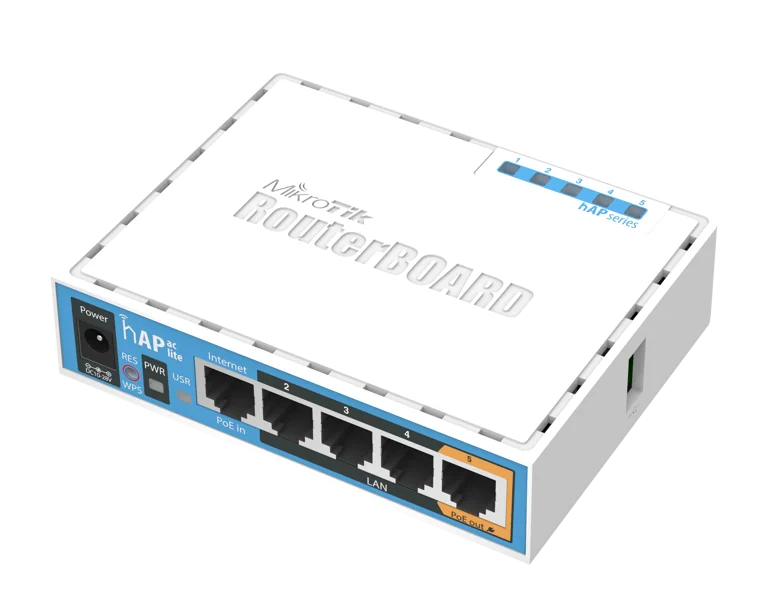
| LED | Colour | Behaviour | Meaning |
|---|---|---|---|
| 🌐 ether1 | Green | Fast/random blinking | Normal network activity |
| Green | Slow regular blinking | Possible cable or connection issue | |
| 🌐 ether2 | Green | Fast/random blinking | Normal network activity |
| Green | Slow regular blinking | Possible cable or connection issue | |
| 🌐 ether3 | Green | Fast/random blinking | Normal network activity |
| Green | Slow regular blinking | Possible cable or connection issue | |
| 🌐 ether4 | Green | Fast/random blinking | Normal network activity |
| Green | Slow regular blinking | Possible cable or connection issue | |
| 🌐 ether5 | Green | Fast/random blinking | Normal network activity |
| Green | Slow regular blinking | Possible cable or connection issue | |
| Red | Solid | PoE output active (groen kan door rood knipperen bij netwerkactiviteit) |
Bottom
| LED | Colour | Behaviour | Meaning |
|---|---|---|---|
| ⚙️ USR | Green | Solid | Normally off, only active during startup or special configurations |
| ⚡ PWR | Green | Solid | The WiBiBox is receiving power |